Convert any Photo to PDF Instantly
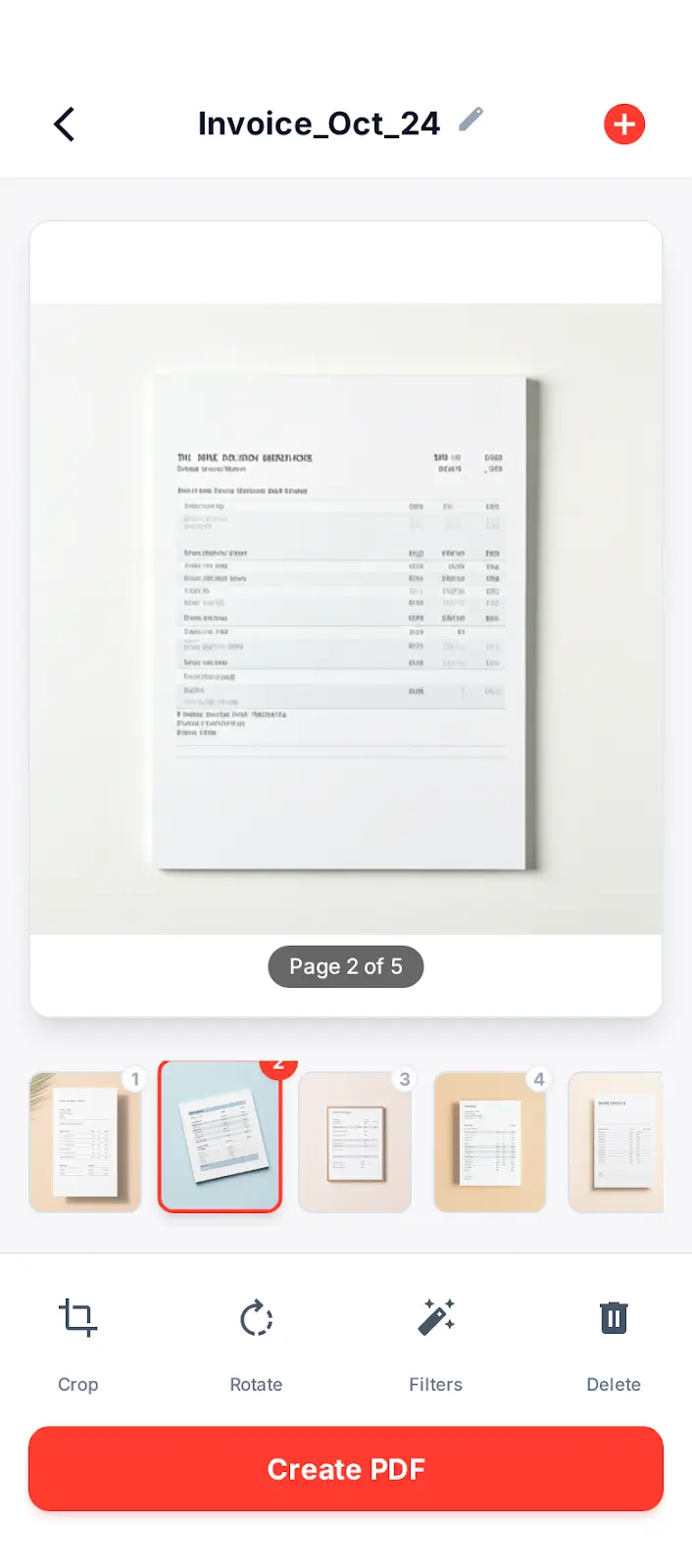
Turn your device into a powerful portable scanner. Scan receipts, notes, documents, photos, and ID cards into high-quality PDFs.
Trusted by 1M+ users
Why choose Pic to PDF?
High Quality Scan
Advanced image processing automatically crops and enhances your documents for sharp, clear digital copies.
Multi-Page Support
Scan multiple pages into a single PDF document. Perfect for contracts, books, and long reports.
Easy Sharing
Share your scanned documents instantly via email, WhatsApp, or save them directly to cloud storage.
How to Convert Pic to PDF
Snap a Photo
Use your camera to scan a document or select image from gallery.
Edit & Adjust
Crop borders, apply filters, or rotate to get the perfect scan.
Save as PDF
Export your images as a high-quality PDF file instantly.
What Users Say
"Replaced my bulky office scanner. The edge detection is spot on, and the PDFs look crisp."
James R.
Small Business Owner
"Perfect for submitting assignments. I just snap a pic of my homework and send it as a PDF."
Sarah L.
Student
"Extremely useful for keeping track of receipts for expense reports. A must-have utility app."
Michael B.
Accountant